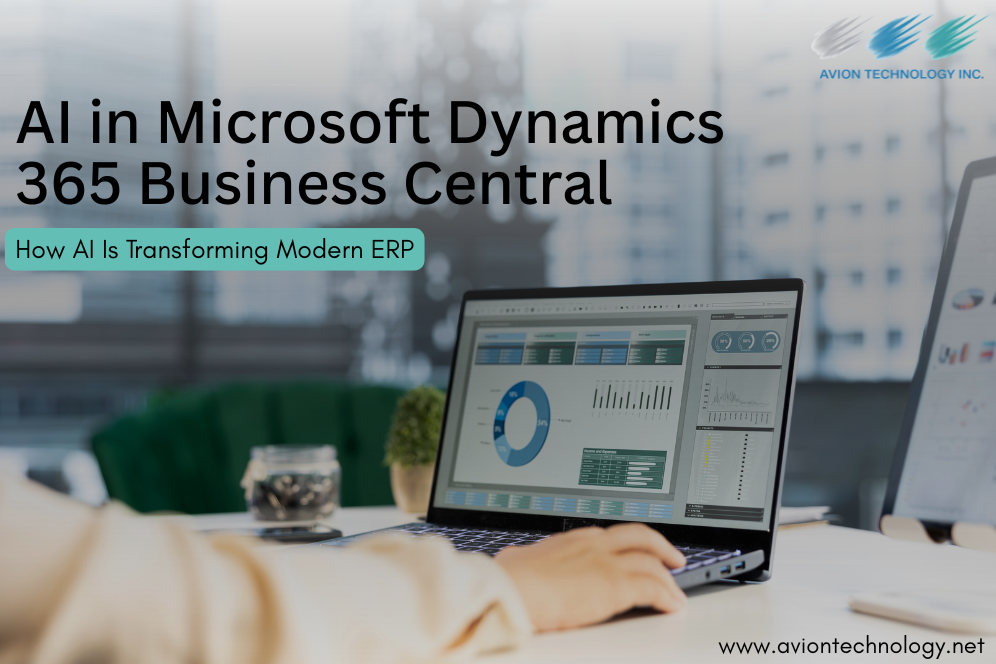
Artificial intelligence is changing how businesses use enterprise resource planning (ERP) systems. Instead of relying only on manual data entry, fixed workflows, and historical reporting, organizations can now use AI to surface insights, automate repetitive work, and support faster decisions.
Microsoft Dynamics 365 Business Central is moving in this direction with Microsoft Copilot, AI-powered capabilities, and AI agents that can assist with finance, sales, inventory, purchasing, and other business processes. Microsoft describes Business Central as an AI-powered ERP for small and midsize businesses, with capabilities designed to connect finance, sales, service, and operations.
For U.S. businesses looking to improve operational efficiency without replacing their existing ERP foundation, Microsoft Dynamics 365 Business Central consulting and implementation offers a practical path toward smarter, more connected operations.
What Is AI in Microsoft Dynamics 365 Business Central?
AI in Microsoft Dynamics 365 Business Central refers to intelligent capabilities built into or connected with Business Central that help users analyze information, generate content, automate tasks, forecast outcomes, and make decisions.
Microsoft Copilot is a major part of this experience. It can help users work with business data using natural language, generate content, summarize information, and support everyday ERP activities. Business Central also includes AI-powered forecasting and newer AI agents designed to take action across specific workflows.
The important shift is that AI is becoming part of the workflow itself.
Instead of an employee manually searching through transactions, identifying exceptions, preparing a report, and deciding what needs attention, AI can help surface relevant information and recommend the next step. This allows finance and operations teams to spend less time searching and more time acting on business priorities.
How AI Is Changing Business Central Workflows
Traditional ERP workflows often depend on structured inputs and predefined rules. AI adds another layer of intelligence by helping users interpret information and identify patterns.
For example, a finance team may use AI to support bank reconciliation, invoice processing, cash-flow forecasting, or collections. Operations teams can use forecasting capabilities to understand potential inventory demand and stockout risks. Sales teams can benefit from AI-generated content and faster access to customer and order information.
Microsoft currently highlights AI agents for Business Central that can support everyday finance and operations workflows. These include Sales Order Agent, Payables Agent, and Expense Agent, while organizations can also build custom agents using Copilot Studio.
This evolution changes the role of ERP from a system that primarily records transactions into a platform that can actively assist teams in running the business.
Key Business Benefits of AI in Business Central
- Automate Repetitive Work
One of the clearest benefits of AI is reducing repetitive manual work. Invoice processing, reconciliation, content creation, order handling, and data review can consume significant employee time.
AI-powered capabilities can help automate or accelerate these activities, allowing employees to focus on exceptions, analysis, and strategic work.
- Improve Financial Visibility
AI can help finance teams identify trends and forecast future conditions. Business Central supports AI-driven cash-flow projections that analyze a company’s financial position, while Microsoft also provides capabilities for invoice and payment workflows.
Better visibility can help CFOs and finance leaders plan working capital, monitor cash positions, and respond to potential financial issues earlier.
- Make Faster, Data-Driven Decisions
Business Central brings financial and operational information together, while AI can help users interpret that information more efficiently.
Instead of manually reviewing large amounts of ERP data, decision-makers can use AI-assisted insights to identify trends, exceptions, and relevant information. Microsoft also highlights Copilot and Business Central’s connections with Excel and Power BI for analysis and reporting.
- Optimize Inventory and Supply Chain Operations
Inventory decisions often require balancing customer demand, stock availability, purchasing, and working capital.
Business Central includes AI-powered sales and inventory forecasting designed to help businesses anticipate demand and potential stockouts.
For distributors, manufacturers, and retailers, this can provide a stronger foundation for purchasing and inventory planning.
- Increase Employee Productivity
AI can reduce the amount of time employees spend searching for information, preparing routine content, and switching between applications.
Business Central’s integration with Microsoft 365 including Outlook, Excel, and Teams also helps organizations work with business information across the tools employees already use.
The result is not simply automation. It is a more efficient way for employees to interact with ERP data.
AI Use Cases in Microsoft Dynamics 365 Business Central
Different departments can apply AI to different business challenges.
| Business Area | AI Use Case | Potential Business Value |
| Finance | Reconciliation, invoice processing, cash-flow forecasting | Less manual work and faster financial decisions |
| Sales | Order processing and AI-generated content | Faster response and improved productivity |
| Inventory | Sales and inventory forecasting | Better planning and fewer stock issues |
| Operations | Workflow automation and exception handling | Improved process efficiency |
| Customer Service | Summaries and contextual information | Faster, more informed responses |
| Management | AI-assisted analysis and reporting | Better business visibility |
The strongest starting point is usually not the most advanced AI application. It is a workflow where employees already spend significant time searching, reviewing, matching, entering, or following up on information. This practical approach is also emphasized in recent Business Central AI guidance from JourneyTEAM.
AI Agents vs Traditional Business Central Automation
Traditional automation follows predefined rules: when a specific condition occurs, the system performs a defined action.
AI agents introduce a more intelligent approach. They can work across workflows, interpret information, and assist with tasks that previously required more manual intervention.
For example, Microsoft’s Sales Order Agent is designed to turn email orders into quotes and sales orders, while the Payables Agent can capture, match, and route invoices for approval.
This does not mean every business process should become autonomous. Human review, governance, permissions, and business rules remain important particularly for financial and operational decisions.
What Businesses Should Consider Before Adopting AI
AI works best when the underlying ERP environment is well organized.
Before implementing advanced AI capabilities, businesses should evaluate:
- Data quality and consistency
- Existing Business Central workflows
- Integration architecture
- Security and user permissions
- Reporting requirements
- High-volume manual processes
- Employee readiness and adoption
Poor data and inconsistent processes can limit AI’s effectiveness. JourneyTEAM similarly emphasizes that process maturity, data quality, integrations, and governance are important foundations for Business Central AI.
A practical implementation strategy is to identify one or two high-value workflows, measure the results, and then expand AI adoption across additional processes.
Why Choose Avion Technology for Business Central Consulting?
AI delivers the most value when it is connected to the right business processes and implemented with a clear ERP strategy.
Avion Technology helps U.S. businesses modernize their ERP environment with Microsoft Dynamics 365 Business Central consulting and implementation services, integration, data migration, training, and ongoing support. Our approach focuses on connecting finance, operations, supply chain, sales, reporting, and business systems within a scalable Business Central environment.
For organizations exploring AI in Business Central, Avion Technology can help identify practical use cases, configure the platform around business requirements, integrate connected systems, and build a roadmap for long-term optimization.
If your organization is ready to move from traditional ERP processes to intelligent, AI-assisted operations, talk to Avion Technology about your Business Central strategy.
Get a Quote
Frequently Asked Questions
- What is AI in Microsoft Dynamics 365 Business Central?
AI in Business Central refers to AI-powered capabilities that help organizations automate tasks, analyze business data, generate content, forecast outcomes, and improve decision-making within their ERP environment.
- What is Microsoft Copilot in Business Central?
Microsoft Copilot is an AI assistant integrated with Business Central that helps users work more efficiently through capabilities such as content generation, information retrieval, summaries, analysis, and workflow assistance.
- Can AI in Business Central help with financial management?
Yes. Business Central supports AI-powered capabilities for areas such as cash-flow forecasting, invoice processing, reconciliation, and other finance-related workflows.
- Can Business Central AI improve inventory management?
Yes. Business Central provides AI-powered sales and inventory forecasting that can help businesses anticipate demand and identify potential stockout risks.
- Does a business need clean data before implementing AI?
Yes. Reliable data, consistent processes, appropriate integrations, and strong governance improve the foundation for successful AI adoption. AI can help identify operational issues, but it should not be treated as a replacement for good ERP data and process management.
Final Thoughts
AI is transforming Microsoft Dynamics 365 Business Central from a traditional ERP platform into a more intelligent business environment. From financial forecasting and invoice automation to inventory planning, sales orders, and AI-assisted analysis, organizations can use AI to reduce manual work and make faster decisions.
For U.S. businesses, the opportunity is not simply to “add AI.” The greater opportunity is to identify where AI can remove operational friction and create measurable business value.
With the right strategy, data foundation, and implementation partner, Microsoft Dynamics 365 Business Central can become an intelligent platform for finance, operations, and growth.